Best Bill Reminder and Payment Apps in 2026

Due Dates Never Line Up
Due dates rarely line up neatly. Rent, utilities, subscriptions, and loan payments each follow their own schedule. When they scatter across the month, one eventually slips your mind. A single missed payment can add a late fee and, in some cases, dent your credit history.
Bill reminder apps exist to close that gap. At a minimum, they gather every due date into one clear view. Many go further and schedule the payments themselves. That way a busy week no longer quietly costs you money.
This guide walks through how these tools work in 2026. It compares the main categories and the features that matter most. There is no single “perfect” pick for everyone, since your ideal app depends on how many bills you juggle and how much automation you want. Prices below come from each provider’s official page as of August 2026, and plans change often, so confirm current numbers before subscribing.
Reminder, Or Actually Pays It
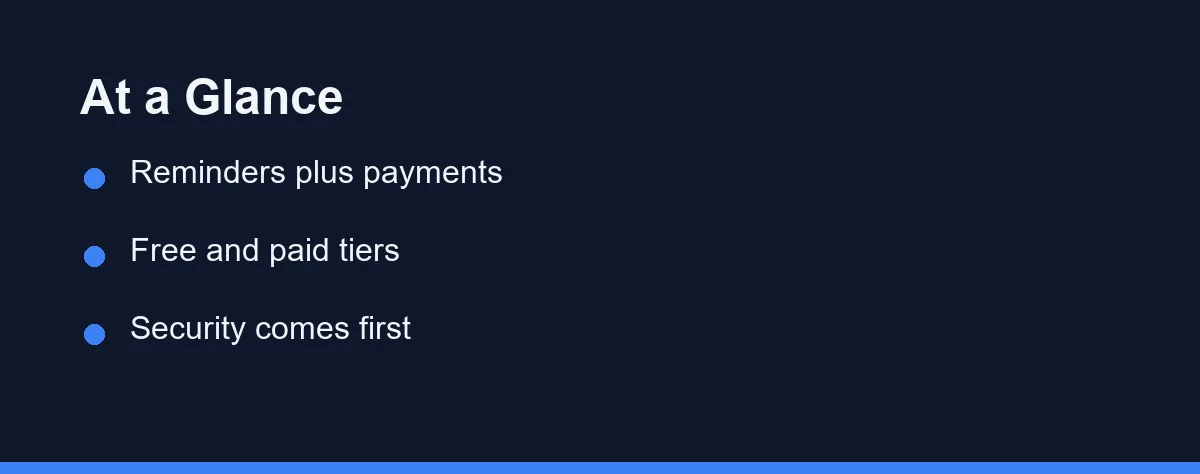
The first thing to settle is whether you want an alert or an actual payment. Some apps only notify you; others move money on your behalf. Everything else follows from that choice.
The best bill reminder app then comes down to your habits and bill types. Rocket Money is well known for tracking bills and subscriptions, and it even offers a bill-negotiation service. Quicken Simplifi and PocketGuard show upcoming bills alongside your wider spending.
If you want budgeting and bills together, YNAB lets you plan for due dates with scheduled transactions. Prism was known for pulling many billers into one place, though you should confirm it is still available before relying on it. Note that Mint, another former option, was discontinued in 2024. Confirm current features and pricing on each official site, as of 2026.
What A Bill App Has To Get Right
Not all bill apps offer the same depth. Some only notify you, while others handle the full payment. Understanding the core features helps you avoid surprises. Below are the qualities that separate a good app from a frustrating one.
Reliable Reminders
Timely alerts are the whole point of these apps. Look for customizable notifications by email, text, or push. The ability to set lead time, such as three days before a due date, is valuable. Recurring bill detection saves you from re-entering the same data.
Payment Capabilities
Some apps stop at reminders, while others pay bills directly. Direct payment requires linking a bank or card. Confirm whether the app supports your specific billers. This feature is a major convenience but demands extra trust.
Security and Privacy
Any app touching your finances must protect your data. Strong encryption and read-only bank connections reduce risk. Two-factor authentication adds another layer of safety. Review the privacy policy before linking sensitive accounts.
Syncing and Integration
Cross-device syncing keeps your data current everywhere. Integration with budgeting tools gives a fuller money picture. If you already track spending, choose an app that connects cleanly. This avoids duplicate entry and scattered records.
Four Places Bill Tracking Actually Lives
Bill reminder tools fall into a few broad categories. Each category serves a different kind of user. Below are the main types you will encounter in 2026. Compare them against your own needs rather than chasing the most popular name.
Dedicated Bill Reminder Apps
These apps focus only on tracking due dates and sending alerts. They tend to be lightweight and simple to set up, often with a calendar view of upcoming bills. Prism was a well-known example that aggregated many billers into one place, though availability in this niche shifts, so confirm any app is still active first. They suit people who pay manually but forget dates.
All-in-One Budgeting Apps
Some budgeting platforms bundle bill tracking into a wider toolkit. Rocket Money, Quicken Simplifi, and PocketGuard link reminders to your overall spending, while YNAB lets you schedule bills in a zero-based plan. This works well if you want one app for everything. See our roundup of best budgeting apps for a deeper look.
Bank and Card Built-In Tools
Many banks and card issuers now offer bill pay and alerts. These features live inside your existing online banking. They are convenient since your accounts are already connected. Coverage and flexibility vary by institution.
Personal Finance Software
Full software suites like Quicken track bills alongside investments and net worth. They appeal to users who want detailed financial management. These tools often carry a subscription. Our guide to best personal finance software covers the broader options here.
Who Pays, And Who Only Nudges

The table below maps well-known apps to what they are often known for. It focuses on features rather than fixed prices, which change often. Confirm current details on each official site, as of 2026, before deciding.
| App | Often Known For | Pays Bills | Bank Sync |
|---|---|---|---|
| Rocket Money | Bill tracking and negotiation | Some bills | Yes |
| Quicken Simplifi | Bills and projected cash flow | Reminders only | Yes |
| PocketGuard | Bills plus a “safe to spend” view | Reminders only | Yes |
| YNAB | Scheduling bills inside a budget | No, you pay | Yes |
| Bank bill pay | Built-in scheduled payments | Often | Native |
| Card issuer alerts | Due-date alerts for that card | For that card | Native |
The table shows clear trade-offs between simplicity and power. Dedicated apps are easy but may lack payment features. Budgeting and software suites do more but ask for more setup. Bank tools are convenient yet tied to one institution.
Plan Tiers at a Glance
Most apps sell access in tiers, from a free level up to a premium subscription. The table below sketches the common pattern rather than any one product. These groupings are approximate and reflect what is typical at the time of writing. Confirm current terms and pricing on each provider’s official site.
| Plan Tier | Common Features (approximate) | Typical Cost Model |
|---|---|---|
| Free tier | Due-date tracking, basic reminders, calendar view | No cost, plus trials from 7 days to 34 days |
| Mid paid tier | Custom alerts, multi-device sync, budgeting links | Quicken Simplifi at $3.99 per month billed annually |
| Premium tier | Autopay, priority support, deeper automation | PocketGuard at $12.99 monthly, YNAB at $14.99 |
A free tier covers most people who simply forget dates. The paid tiers earn their cost only when automation saves you real time. Match the tier to your habits, not to the longest feature list.
Counting Your Bills Before You Pick
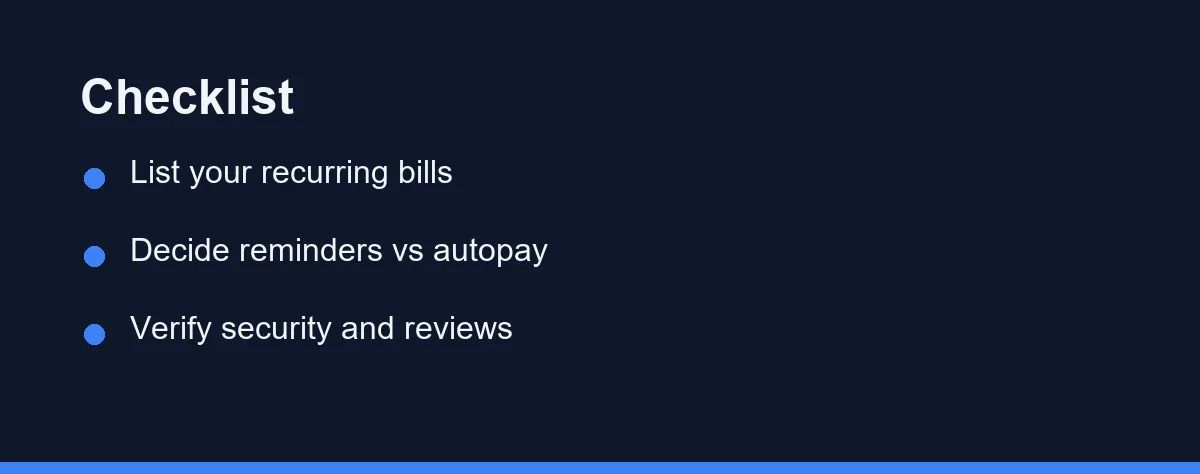
Choosing well starts with honest self-assessment. Count your recurring bills and how often you miss them. Decide whether you want reminders only or full automation. Then weigh features against your comfort with linking accounts.
Match the App to Your Bills
If you have a few simple bills, a free reminder app is enough. Complex situations with many billers benefit from automation. Confirm that the app supports your specific providers. A great app that does not cover your biller helps little.
Weigh Convenience Against Control
Automatic payments save time but reduce day-to-day oversight. Manual paying keeps you closer to your cash flow. Many people use a hybrid of autopay and manual review. Choose the balance that fits your spending style.
Check Security and Reputation
Read recent user reviews and security disclosures before committing. Favor apps with transparent privacy policies and a solid history. Strong money habits also help, like building an emergency fund for surprise bills. Good tools and good habits work best together.
What You Should Expect To Pay
Many dedicated reminder apps offer a free tier with core features, while premium plans add automation, syncing, and advanced alerts. Bank-provided bill pay is often free with your account, and full personal finance software usually charges a recurring subscription.
Concrete anchors help more than ranges. Quicken Simplifi lists $3.99 per month billed annually as a new-member promotion through September 2026, renewing at $6.99 per month, or $83.88 a year. PocketGuard Premium runs $6.25 per month billed annually, which bills as $74.99 yearly, against $12.99 month to month. YNAB charges $14.99 per month or $109 for 12 months after a 34-day trial.
Watch for hidden costs tied to expedited payments or premium support, and read the fine print before linking any payment method. Those figures come from each official pricing page as of August 2026, and subscription prices shift often. Rocket Money does not post a Premium price on its public site, so check the in-app offer before you subscribe. Confirm current pricing on the official site before you commit.
Which Bill Setup Fits You
No category wins for everyone, so match the tool to your situation. The picks below map common profiles to the option that usually fits best.
- If you pay manually and only forget dates: PocketGuard or Quicken Simplifi surface upcoming due dates alongside your spending.
- If you want one app for everything: Rocket Money bundles bill tracking, subscriptions, and budgeting. Our roundup of the best budgeting apps covers more options.
- If you budget every dollar: YNAB lets you schedule bills as part of a zero-based plan.
- If security is your top concern: lean on your bank’s built-in bill pay or card-issuer alerts, tied to accounts you already trust.
- If you also track investments and net worth: Quicken follows bills alongside them. See the best personal finance software for options.
These are starting points, not rules. Many people blend two approaches, such as autopay for fixed bills and reminders for variable ones.
The Habit Behind The Alert
The right bill app is less about the flashiest features and more about fit. A manual payer who just needs nudges wants something different from someone automating a dozen billers. Once you know which profile is yours, the shortlist narrows quickly. Security and support for your specific billers should still gate every option you consider.
A practical path is to list your recurring bills first, then try a free tier. Live with it for a billing cycle before paying for automation. Steady habits, like keeping an emergency fund for surprise charges, matter as much as any app. The tool and the habit work best together.
This article is for general education only and is not financial advice; consult a qualified professional for your situation.
FAQ
Are bill reminder apps safe to use?
Reputable apps use bank-level encryption and read-only connections through trusted aggregators. Always review the privacy policy and enable two-factor authentication. Stick to well-known apps with strong security track records.
Do bill reminder apps actually pay my bills for me?
Some apps only send reminders, while others can schedule and execute payments through linked accounts. Read each app description carefully to confirm whether it pays automatically or just notifies you. Features vary widely between products.
Can I use a free app to track all my bills?
Yes, several apps offer capable free tiers that cover reminders and basic tracking. Paid plans usually add automation, syncing, and advanced alerts. A free option is often enough for simple needs.
What is the difference between a bill reminder and autopay?
A reminder simply alerts you before a due date and leaves the payment to you. Autopay schedules the actual payment from a linked account. Reminders keep you in control, while autopay reduces effort but still deserves occasional review.
Should I set up autopay for every bill?
Autopay works well for fixed, predictable bills like subscriptions or loan payments. Variable bills, such as utilities that change monthly, may deserve a quick manual check first. Many people automate stable bills and review the variable ones by hand.
Sources
- Bill Calendar: Know what you owe and when it's due | CFPB — checked 2026-09-27
- Budgeting: How to create a budget and stick with it | CFPB — checked 2026-09-27
Some links may be affiliate links. We may earn a commission at no extra cost to you.
How this article was made: it was drafted with AI assistance from the official sources listed above, and its figures were checked against those pages on the dates shown. It is not based on personal hands-on testing.
Comments
Post a Comment