Best Expense Tracker Apps in 2026
The Few Hundred Dollars Nobody Can Account For
Most people can name their rent and their car payment without thinking. Ask where the other few hundred dollars went last month, and the answer gets fuzzy. That fuzzy gap is exactly where an expense tracker earns its place, turning vague spending into numbers you can actually see.
These apps record, categorize, and summarize your spending so you do not have to. In 2026, they have grown noticeably smarter, with cleaner interfaces, better auto-categorizing, and stronger security. The hard part is no longer tracking; it is choosing among the many capable options.
This guide explains how the leading trackers work and what truly separates them. It compares features, sync options, and pricing models in neutral terms, without crowning one universal winner. The aim is to help you understand the categories and find your own fit.
You will find a comparison table, a decision framework, a checklist, and clear answers to common questions. Treat it as a starting point, then verify current details on each provider’s official site. Spending habits differ, so the right tool depends on you.
Named Picks, Before The Detail

The best expense tracker apps share a few traits: reliable bank sync, accurate categorization, and clear reports. For everyday spending, Rocket Money and PocketGuard highlight where your money goes. Empower and Monarch Money add investment and net-worth views alongside spending.
For business or freelance receipts, Expensify is known for its SmartScan receipt capture, while QuickBooks ties self-employed expenses to taxes. Zoho Expense targets business expense reports, and Spendee focuses on simple, visual personal tracking. Always confirm current pricing and supported banks on each official site, as of 2026.
Five Kinds Of Tracker, And What Each Is Built For
Several well-known categories of expense trackers serve different needs. Below are representative types of apps, described by their general strengths rather than fixed prices. Confirm specifics on each official site, since plans evolve.
All-in-one budgeting trackers
These apps combine expense tracking with budgets, goals, and sometimes net worth views. Rocket Money and PocketGuard are common picks that show budgets alongside spending. Monarch Money adds a net-worth dashboard for a fuller picture. They suit people who want a single financial dashboard.
Zero-based budgeting apps
Some trackers follow a method where every dollar gets a job before you spend it. Apps like YNAB are built around this approach, and PocketGuard highlights what is safe to spend. They appeal to users who want intentional, proactive control. For a deeper look, see our guide to the best budgeting apps.
Lightweight manual trackers
Manual-entry apps skip bank sync in favor of privacy and simplicity. Spendee offers a clean, visual interface for logging spending by hand and grouping it into wallets. You log purchases yourself, which builds awareness but takes discipline. They are ideal for people wary of linking accounts.
Bank and card built-in tools
Many banks and card issuers now include spending breakdowns inside their own apps. These require no setup and stay within one institution. The limitation is that they rarely combine accounts from different providers.
Investment-aware trackers
A few apps extend beyond spending to track portfolios and assets. Empower and Monarch Money help users who want one view of both cash flow and holdings. Empower in particular is known for its investment and net-worth tools. If investing is a priority, compare these against the best investment apps for beginners.
Eight Apps Against Sync And Purpose

The table below maps well-known apps to what they are often known for. It reflects general patterns, not guaranteed features for any single product. Always verify current capabilities and pricing on each official site, as of 2026.
| App | Often Known For | Bank Sync | Best For |
|---|---|---|---|
| Rocket Money | Bills, subscriptions, spending | Yes | Everyday personal tracking |
| PocketGuard | A clear “safe to spend” view | Yes | Simple budgeting overview |
| Empower | Spending plus net worth | Yes | Cash and investments together |
| Monarch Money | All-in-one dashboard | Yes | Households and full overview |
| Expensify | Receipt SmartScan capture | Yes | Business and travel receipts |
| QuickBooks | Self-employed expense-to-tax | Yes | Freelancers and sole traders |
| Zoho Expense | Expense reports and approvals | Yes | Small-business teams |
| Spendee | Visual logging and shared wallets | Manual and paid sync | Simple personal tracking |
The table shows that sync and cost vary widely by category. Manual apps trade automation for privacy and a gentle learning curve. All-in-one and investment-aware tools offer breadth at the cost of complexity.
Which App Fits You
The best category depends on what you want the app to do and how much effort you will give it. Below are common profiles with a sensible starting point for each. These are general suggestions, not personalized advice.
If you are a beginner: Rocket Money or PocketGuard sync automatically and show the full picture with little effort. Seeing every transaction in one place builds awareness fast. You can add stricter budgeting later.
If privacy is your priority: A manual tracker like Spendee never needs to link your bank. You log purchases yourself, which takes discipline but keeps data in your hands. It suits anyone wary of account connections.
If you are self-employed: Expensify captures receipts with SmartScan, while QuickBooks ties expenses to taxes. Zoho Expense adds structured reports for small teams. These separate business spending from personal spending cleanly.
If you share money with a partner: Monarch Money offers shared access so both people see the same numbers. Clear categories reduce friction over spending. Agree on who reviews the data each week.
If you also track investments: Empower combines spending and holdings in one view. It saves you from juggling separate tools. Compare it against dedicated investing platforms if growth is your main goal.
These profiles are starting points, not rules. Your full situation and comfort with data sharing shape the right call. A financial professional can help with decisions beyond tracking.
Decision Framework by Priority
If you are still torn, sort by your single biggest priority. The table below maps a top goal to a sensible starting category. Confirm current features and pricing on each provider’s official site.
| Your top priority | Apps to start with | Why |
|---|---|---|
| Least effort | Rocket Money, PocketGuard | Automatic sync does the work |
| Maximum privacy | Spendee (manual) | No bank connection needed |
| Business receipts | Expensify, QuickBooks, Zoho Expense | Built for expenses and taxes |
| Shared household view | Monarch Money | Both partners see the same data |
| Spending plus investments | Empower | One combined dashboard |
Where Trackers Break: Sync, Categories, And Privacy
A tracker should reduce the friction of recording spending, and it usually fails at one of three points. Automatic bank sync is the biggest time saver, since manual entry rarely lasts. Look for broad institution coverage and stable connections.
Categorization quality matters just as much as sync. The app should sort transactions accurately and let you create custom rules. Clear, exportable reports help you spot trends over weeks and months.
Security is the third pressure point, and it is non-negotiable for any app touching your finances. Favor tools that use encryption, read-only access, and two-factor authentication. Cross-device support and a clean mobile interface round out the essentials.
It also helps to understand how an app pulls your data. Many trackers rely on third-party aggregators to connect with banks. Reading the privacy policy clarifies who sees your transactions and how long data is stored.
Finally, consider how the app handles goals and budgets. Some users only want a record of the past, while others want forward planning. Decide which side matters more before you choose.
Picking One, And What It Will Cost
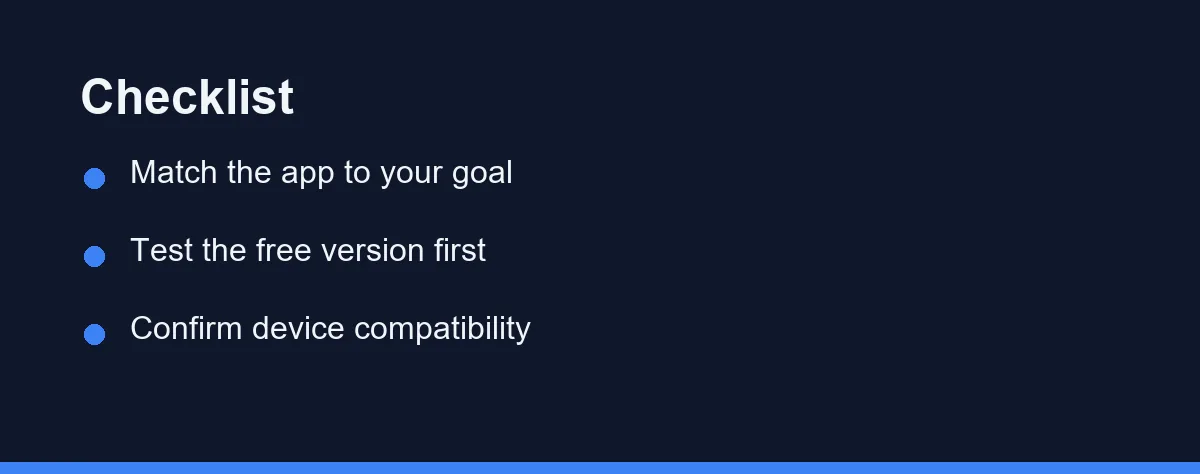
Start by naming your main goal before downloading anything. If you want awareness, a simple tracker may be enough. If you want planning, lean toward budgeting-focused apps.
Next, decide how you feel about linking bank accounts. Comfortable users gain automation, while cautious users may prefer manual entry. Check that your specific banks are supported before relying on sync.
Test the free version whenever one exists. A short trial reveals whether the interface fits your habits. Pay attention to how easily you can categorize and review spending.
Also confirm device compatibility and export options. You want access on your phone and the ability to back up data. For software that pairs spending data with deeper reports, compare options in the best personal finance software.
On cost, many apps offer a free tier covering core tracking and basic budgets. Paid plans typically unlock advanced reports, unlimited accounts, or investment features. Some charge monthly, while others use annual subscriptions or one-time fees.
A few confirmed figures show the spread as of Aug 2026. PocketGuard Plus runs $12.99/month or $74.99/year after a 7-day free trial, and Monarch Money charges $14.99/month or $99.99/year. On the business side, Zoho Expense stays free for up to 3 users, with paid plans from $3 per user per month on annual billing.
Promotional rates and free trials change frequently, so treat those numbers as a snapshot. Confirm current pricing on the official site or app store listing before you subscribe. A cheaper plan that fits your habits often beats a costly one you ignore.
Guesswork Out, Numbers In
An expense tracker does one quietly powerful thing: it replaces guesswork with a clear picture of where your money actually goes. From there, the right app depends on what you value most, whether that is automation, privacy, planning, or plain simplicity. The comparison table and decision framework above exist to point you toward your fit.
Whatever you choose, start small and stay consistent. Try a free version first, confirm your banks are supported, and verify pricing on official sites before paying. An app you check every week beats a feature-rich one you abandon.
A tracker also works best beside a plan, so pair it with a written budget for real momentum. You can build one with our guide to how to make a budget. This article is for general education only and is not financial advice; a qualified professional can help with your specific situation.
One practical note applies whichever app wins. Every one of them leans on a bank connection that expires on a schedule, so the reconnect prompt is maintenance rather than a fault. Our explainer on why your budgeting app keeps disconnecting from your bank covers the repair that lasts longest.
FAQ
Are expense tracker apps safe to link to my bank?
Most reputable apps use bank-grade encryption and read-only connections through trusted aggregators. They cannot move your money, only view transactions. Still, review each app privacy policy and enable two-factor authentication where available.
Do I need to pay for an expense tracker app?
Many solid apps offer free tiers that cover basic categorizing and budgeting. Paid plans usually add features like investment tracking, unlimited accounts, or advanced reports. Try a free version first to see if it fits your habits.
What is the difference between an expense tracker and a budgeting app?
Expense trackers focus on recording and categorizing what you spend. Budgeting apps add planning tools like spending limits and goals. Many modern apps now blend both functions into one experience.
How often should I check my expense tracker?
There is no fixed number, but many people find a quick weekly review is enough to stay on top of spending. Automatic sync means the data updates on its own, so you mainly confirm categories and watch for surprises. Consistency matters more than frequency.
Is a manual tracker or an automatic one better?
A manual tracker never links to your bank, so you keep full control of your data at the cost of logging purchases yourself. A synced app saves time by importing transactions automatically. The better fit depends on how much you value privacy versus convenience.
Sources
- Track your spending with this easy tool | CFPB — checked 2026-09-27
- Budgeting: How to create a budget and stick with it | CFPB — checked 2026-09-27
Some links may be affiliate links. We may earn a commission at no extra cost to you.
How this article was made: it was drafted with AI assistance from the official sources listed above, and its figures were checked against those pages on the dates shown. It is not based on personal hands-on testing.
Comments
Post a Comment